How Skills work
Every skill follows the same run. Once you've been through it once, the rest feel familiar. This article walks the flow end to end, so you know what to expect before you run anything.
The run, step by step
1. Open a skill and click Run
Start in the skills library. Each skill has a detail page that tells you the question it answers, what it needs connected, and what you'll get back. When you've found the one you want, click Run this skill. Prefer to ask in your own words? Sage will take you to the skill that answers your question.
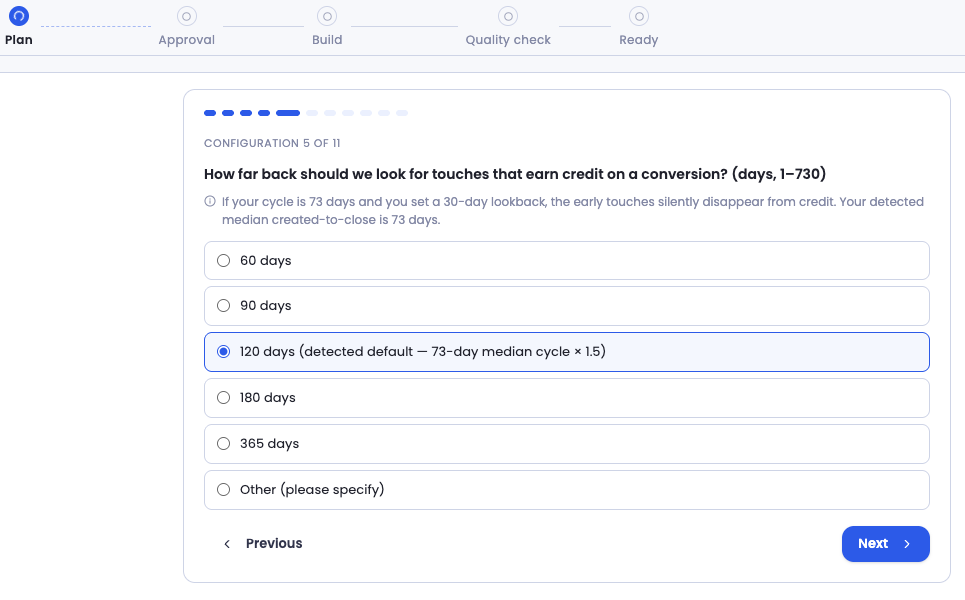
2. Confirm what the agent prefilled
Before anything runs, the agent shows you a short set of questions and prefills every answer it can detect from your data — your fiscal quarter, your amount field, which sources look like marketing. You confirm or edit each one. More questions appear only if your data calls for them.
Some skills are ready to run on those defaults the moment you open them. Others ask you to confirm a few consequential choices first, like an attribution model or a coverage target. Either way, nothing runs until you confirm.
3. Review the plan
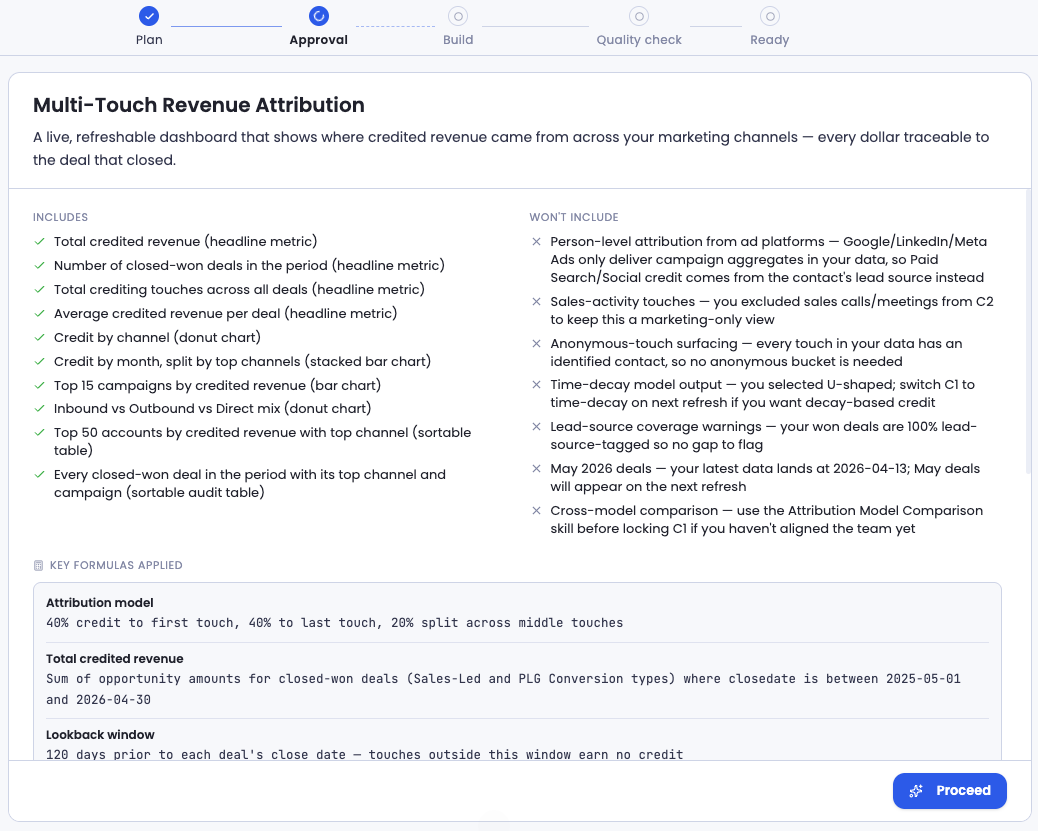
Next the agent shows you the full plan: the period, the scope, the definitions, and the queries it's about to run. This is where you see the logic before any data moves. If something's off, edit it. If it's right, approve it.
4. The agent builds the dashboard
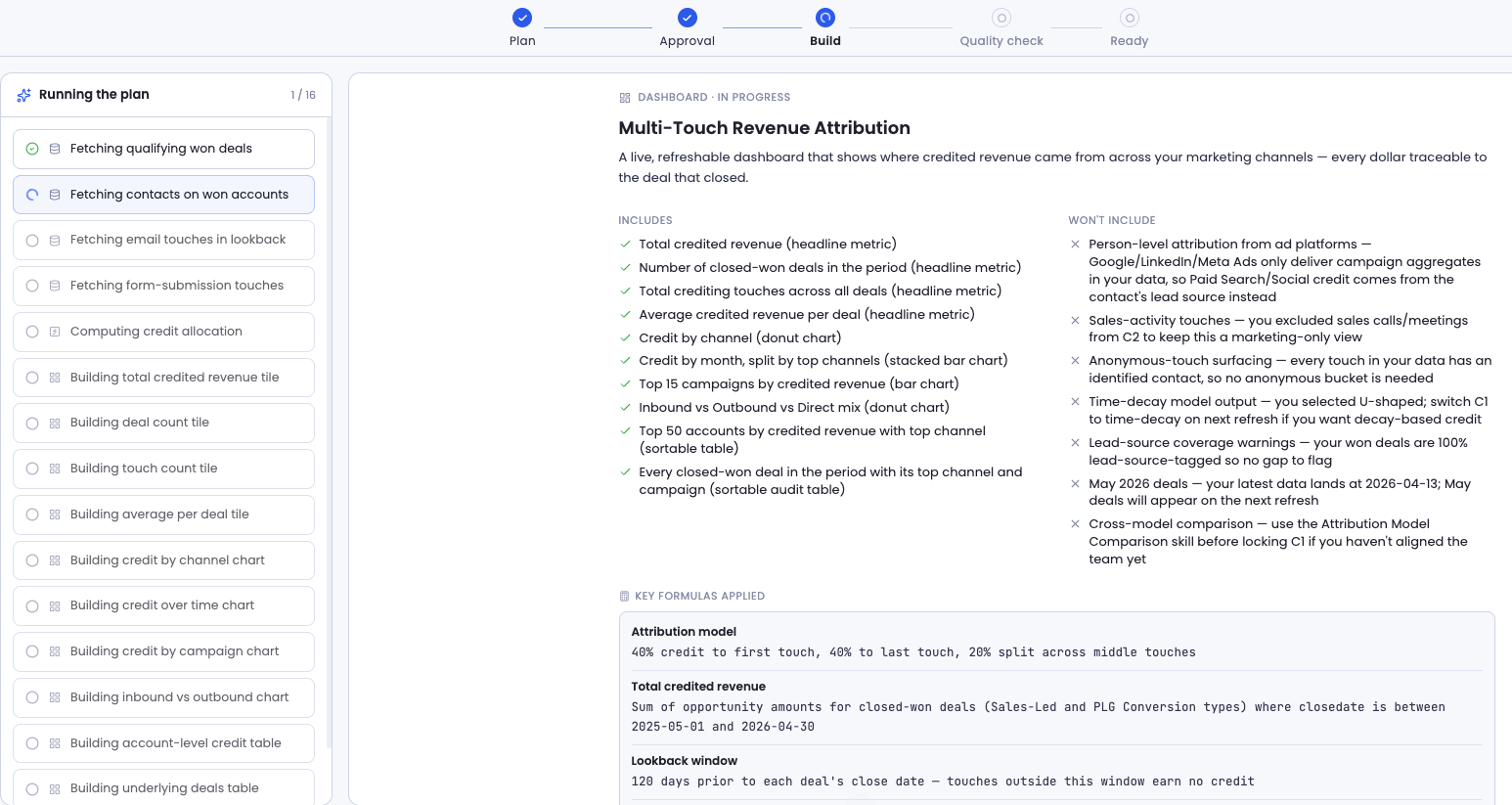
Once you approve, the agent builds. Queries run server-side against your connected data, so nothing happens in your browser and you can switch tabs and come back. The first build takes roughly 15 to 20 minutes depending on the skill, and you'll see it work as it goes — schema checks, detection queries, the main computation, the render. Some skills add conditional views at this point when your data supports them, like a per-rep breakdown or an account-level cut.
5. The output appears
The result is delivered as a dashboard in the render type you selected before running the skill.
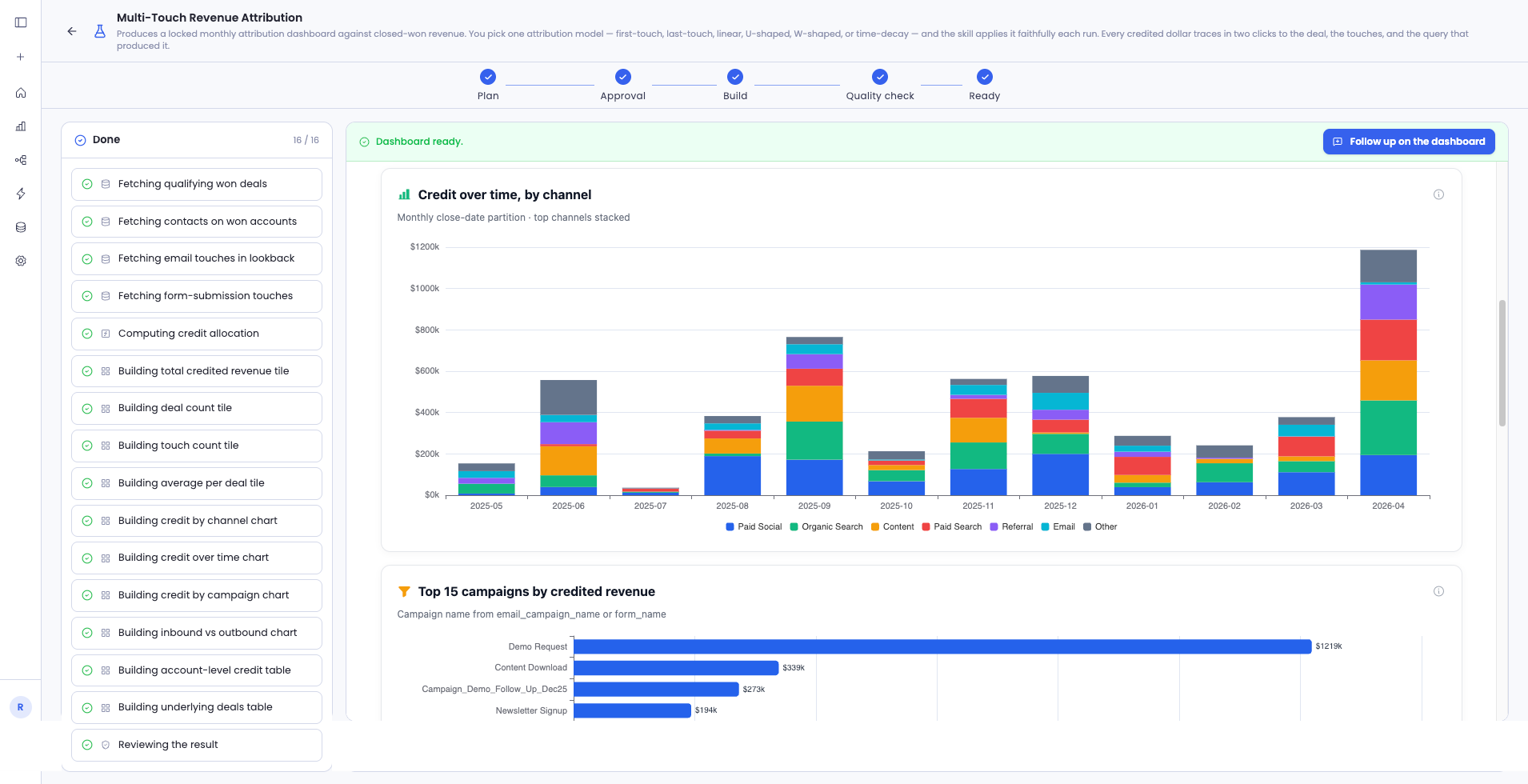
From here the dashboard refreshes on a schedule. Each refresh replays the setup you locked, so the number doesn't drift between runs, and every refresh leaves its own logged trail.
When data is missing
The agent doesn't fake it. What it does depends on what's missing.
| What's missing | What the agent does |
|---|---|
| A required source isn't connected | Stops before running and names the source. Connect it and re-run. |
A required field is absent (e.g. no lead_source) | Stops and names the field. |
| A field only one definition needs is thin (e.g. sales activity for the pre-sales definition) | Builds anyway. That column shows a dash; the others render. |
| A field is present but sparse | Builds on what's there and surfaces the coverage gap above the number. |
| The cohort is empty (source connected, zero matching rows) | Builds and shows an empty-state message, so you know it isn't broken. |
The sparse-field case is the most common in week one. The agent will build on partial data, but it always tells you it did, and it quantifies the gap.
The trail every run leaves behind
Every run is logged, end to end. Ask Sage how a figure was built and it answers from that log, not from a guess.
The log captures:
- Every answer you confirmed, and whether it was your edit or a prefilled default
- Every conditional question the agent skipped, and why
- Every detection result that drove a decision
- Every query that ran, with row counts and timing
- Every known limit that activated, and what triggered it
- Confirmation that the numbers came from server-side queries, not the agent's judgment
That last point is the spine of the whole thing: the agent orchestrates and explains, but it never computes the number. The queries do.